A notification on the morning of the birthday tells you it's today — and that the gift is already late. What makes a reminder useful isn't when it arrives, but how many times. With notification sets in DayList 1.6.0, you can combine up to 5 reminders for a single birthday or anniversary.
A reminder on the day helps you remember. It doesn't help you prepare
Most reminder apps send one notification, on the morning of the day. That's fine for people who just need a quick "happy birthday" message. For anyone who needs a gift, a dinner reservation, or a parcel shipped across the country, a same-day reminder is really a notification that you've already missed it.
The fix is simple: separate the reminders for preparing from the reminder for the day itself. "Choose a gift 7 days before", "write the card the day before", "send it on the day" — each job gets its own reminder.
A notification set = a target day × a timing
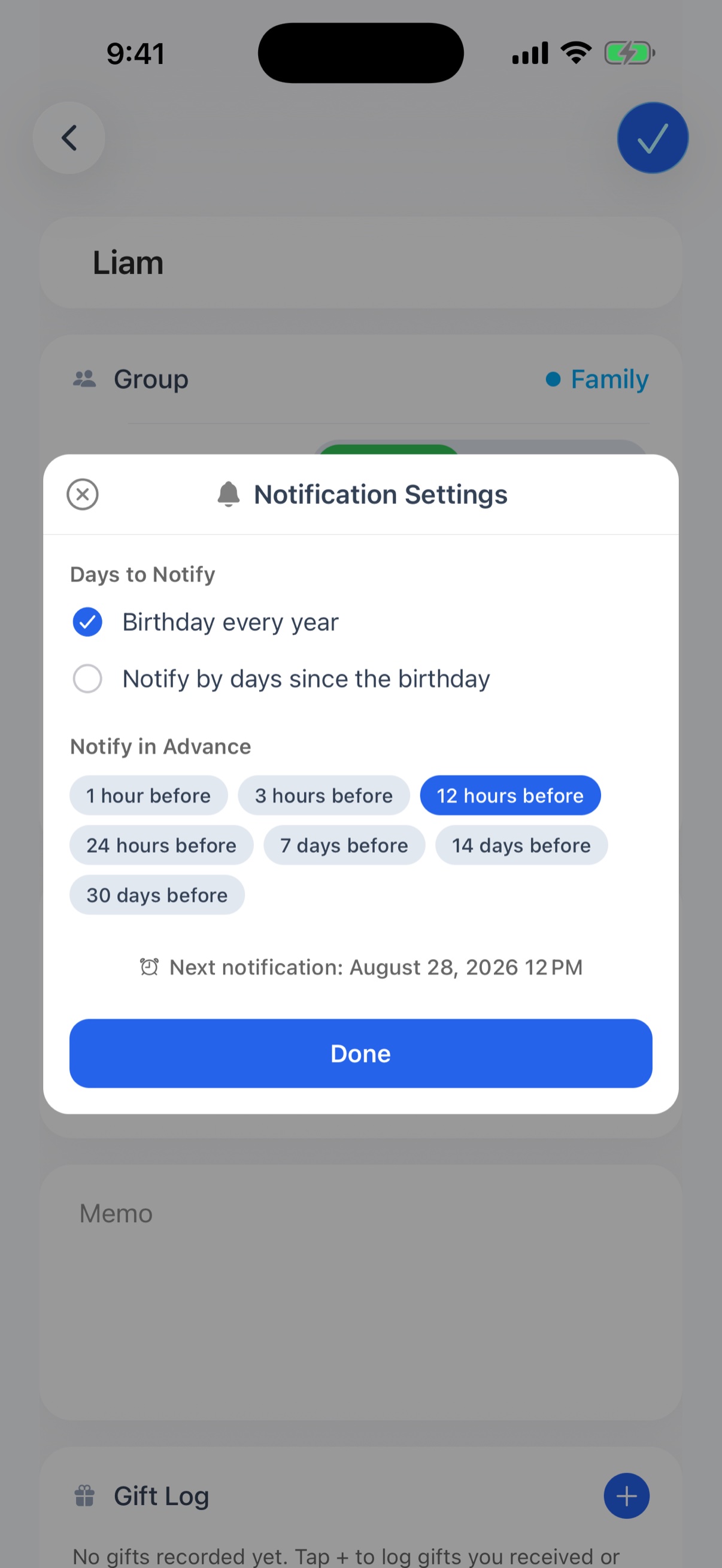
In DayList, each reminder is registered as a combination of a target day and a timing — a notification set. "Every birthday → 7 days before" and "Every birthday → 24 hours before" are two separate sets, and both fire for the same birthday.
- Target day — the yearly birthday or anniversary, or "day N" counted from the birth date or anniversary
- Timing — 1 hour, 3 hours, 12 hours, 24 hours, 7 days, 14 days, or 30 days before
Each birthday or anniversary can have up to 5 sets. The same target day with the same timing can't be added twice, so the natural pattern is a staircase: 7 days before, 24 hours before, 3 hours before.
Combinations that work
Match the reminders to the relationship and how long the preparation takes, and nothing is wasted.
- Someone you buy a gift for — 7 days before (choose) + 24 hours before (wrap, write the card) + 3 hours before (hand it over or send it)
- Family far away, gifts sent online — 14 days before (order) + 24 hours before (call or message)
- Wedding or relationship anniversaries — 30 days before (book the restaurant) + 7 days before (confirm) + the morning of (1 or 3 hours before)
- People who just need a message — 12 hours before is enough to draft it the night before
Milestones like day 100 and day 1,000
The target day doesn't have to be the yearly date. You can also be reminded on day N counted from the birth date or anniversary. Presets for day 100, 500, and 1,000 are built in, and you can type any number of days.
A baby's 100th day, 1,000 days together, 3,000 days at a job — milestones that slip past when you only count in years. The days elapsed are also shown on the detail screen, so you can see how far away the next milestone is.
How to set it up
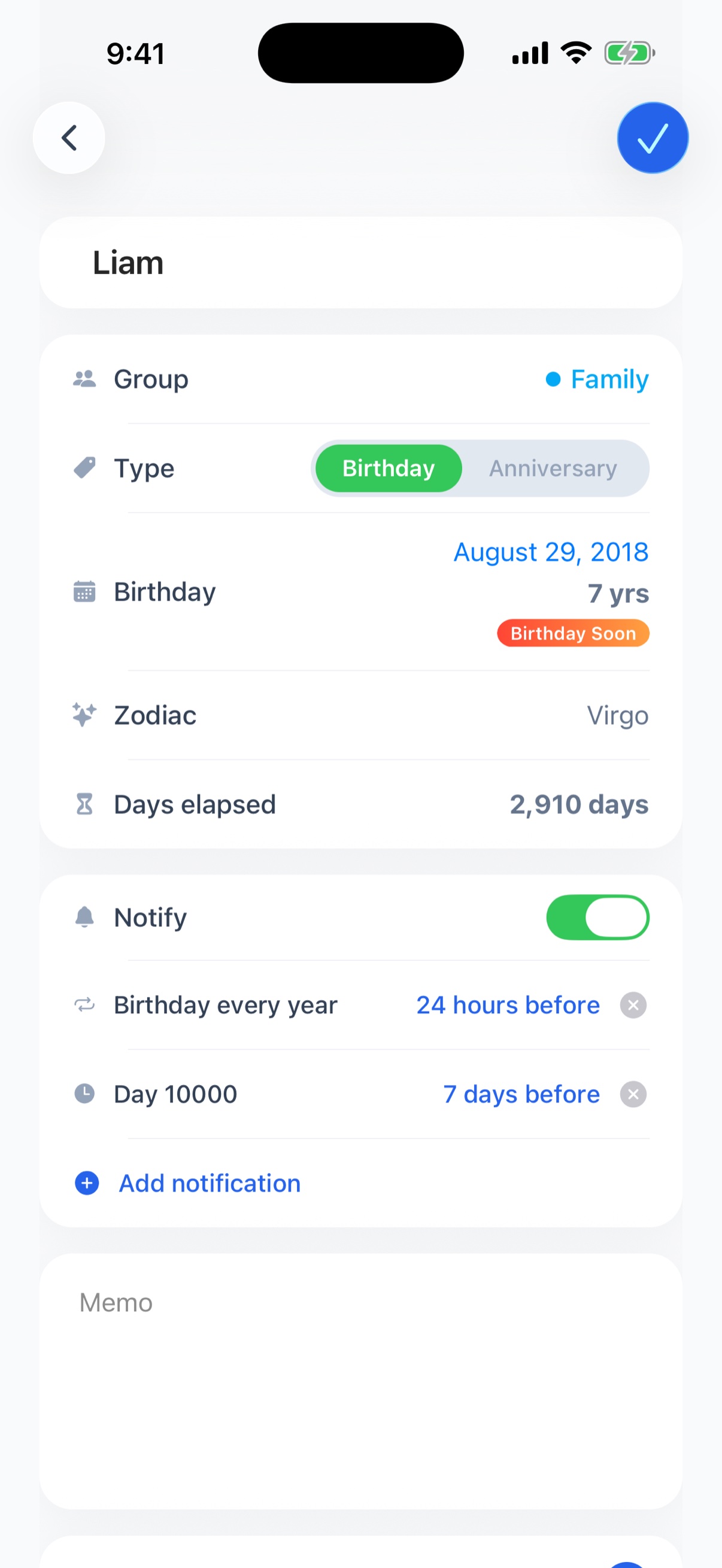
- Open the birthday or anniversary and turn on "Notifications"
- Tap "Add notification" and pick one target day and one timing
- Repeat as needed (up to 5). Remove a set with the × on its row
Each set shows its scheduled date and time, so you can see exactly when it will arrive as you build the list. On the free plan you can turn on notifications for up to 3 people; the premium plan has no limit.
The takeaway
Reminders aren't just for remembering — they're for being on time. For people who need preparation, use 7 days before + the day before. For dates you want to celebrate properly, add a day-N reminder. With notification sets, this can be the last year you scramble on the day.