DayList icon

DayList

Birthday & Anniversary Tracker

Download on the App Store

Never wonder how old they are again

A simple app for managing birthdays and anniversaries.

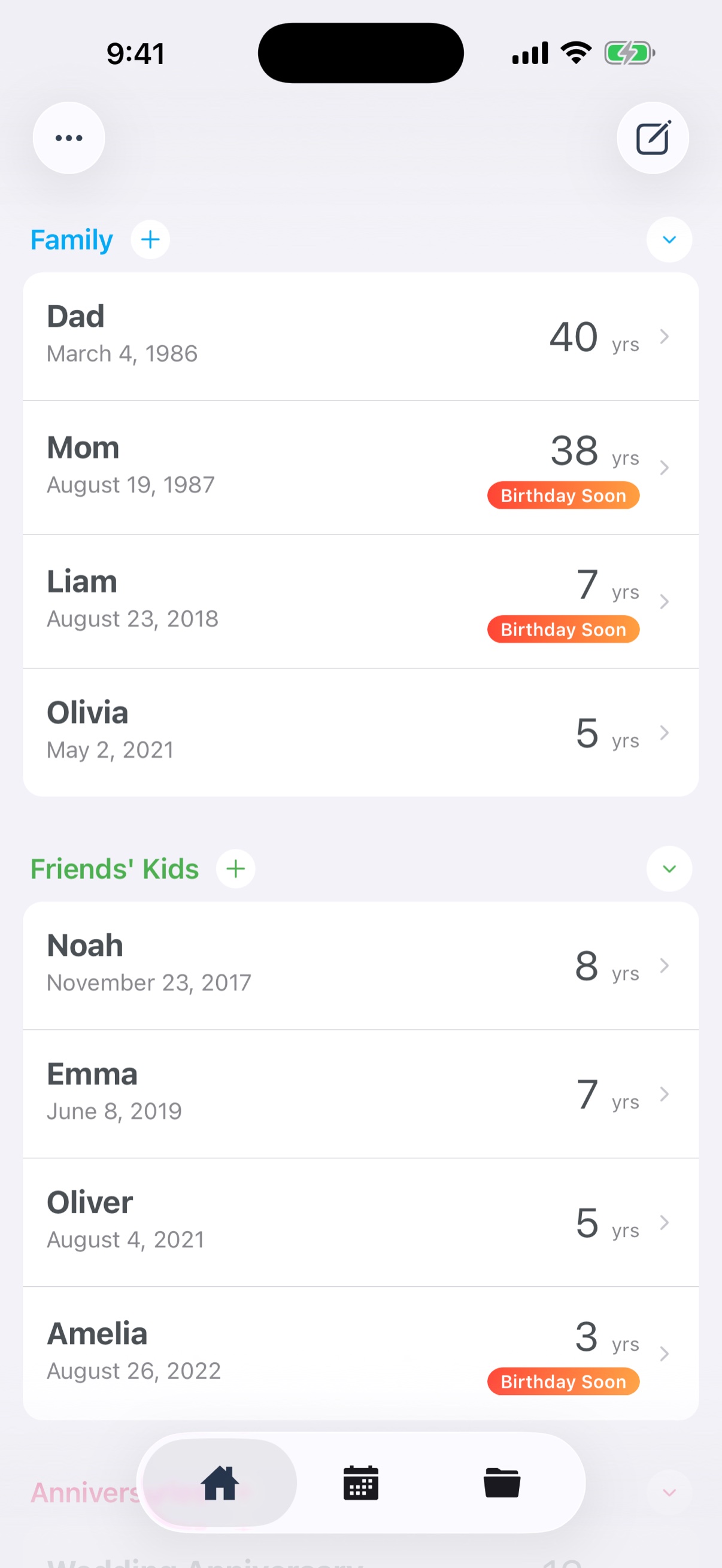
Home screen showing birthdays and anniversaries

Every birthday in one place

Family, friends, coworkers, your favorite idol. Register birthdays and anniversaries together, and ages and years elapsed are calculated for you.

  • Birthdays show the current age, anniversaries the years passed
  • See at a glance how many days are left until each date
  • A "Coming soon" badge for anything within 30 days
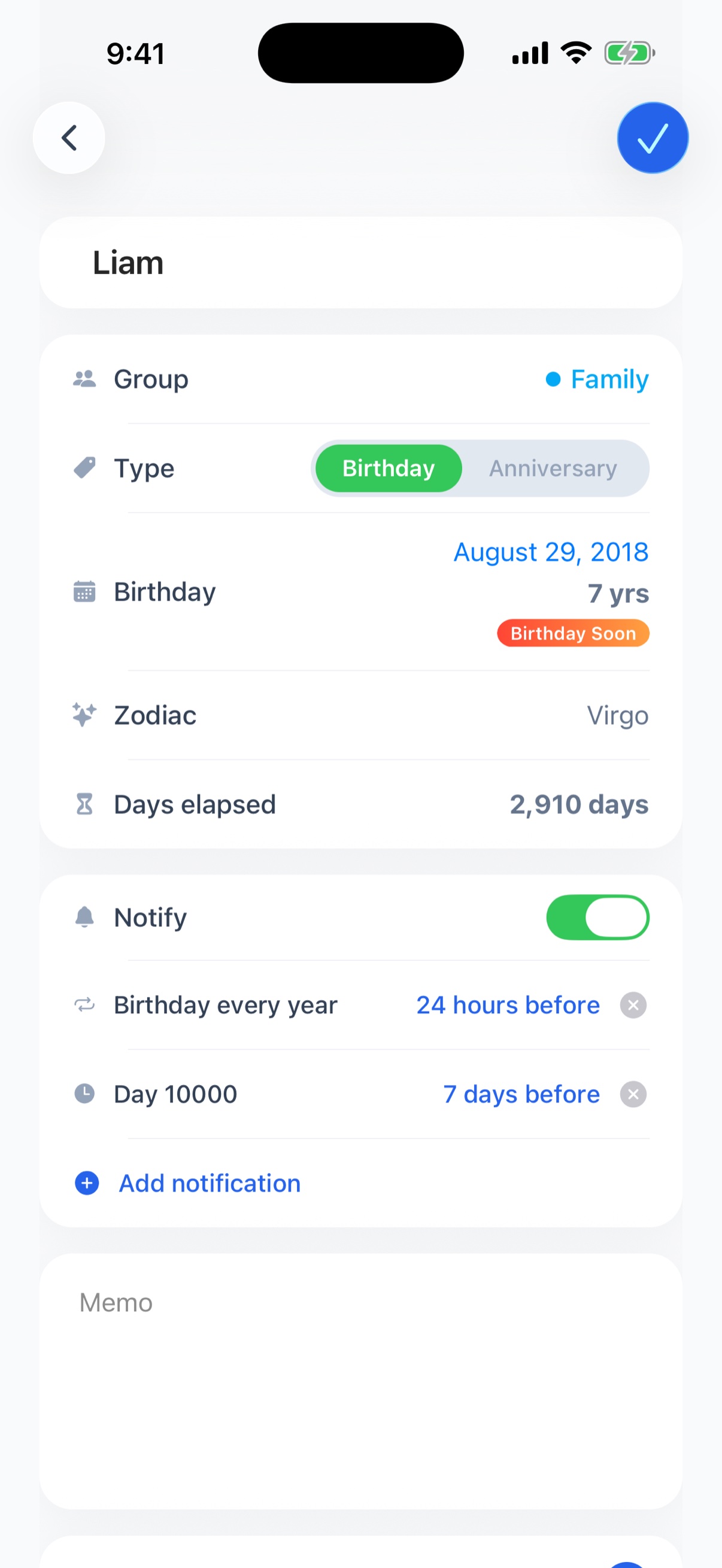
Detail screen with age, star sign, zodiac, and days elapsed

Everything about their birthday or anniversary, on one screen

Beyond the age and the countdown, each entry gathers the little facts that make good conversation and worthwhile milestones.

  • Star sign and zodiac animal, shown automatically
  • Days since they were born — handy for milestones like day 10,000
  • Import people whose birthdays are already in your Contacts
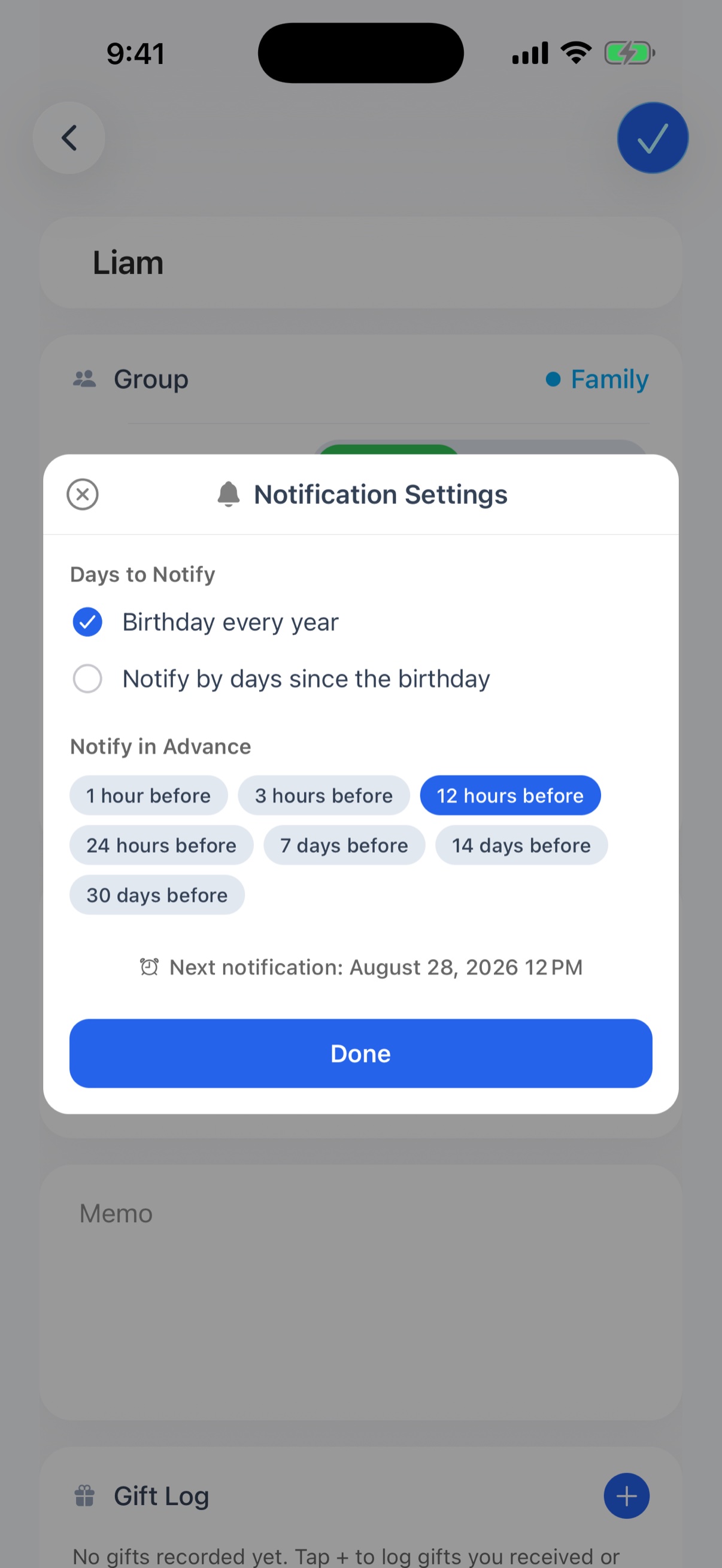
Notification settings with target day and timing

Up to 5 reminder timings, so you're always prepared

A reminder on the day is too late to buy a gift. Combine several reminders for a single birthday or anniversary, starting when you need to prepare.

  • Mix and match seven timings, from 1 hour to 30 days before
  • "7 days before to get the gift, then again the day before" — on one birthday
  • Get notified on milestones like day 100 or day 1,000
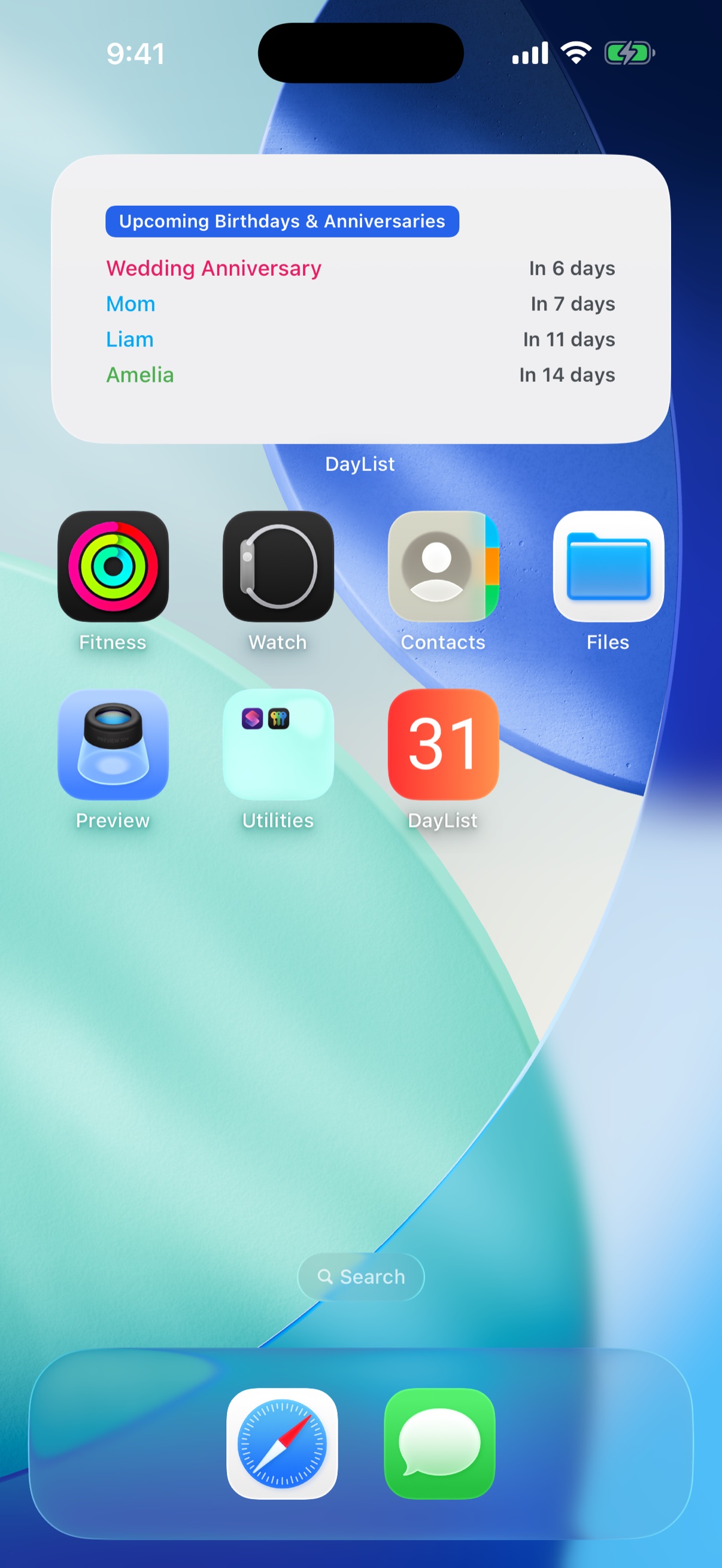
Home Screen widgets

Count down on your Home Screen and Lock Screen

Without opening the app, the next date is right there every time you look at your iPhone.

  • Upcoming birthdays and anniversaries listed in order
  • A countdown widget with one person's days remaining, big and clear
  • Lock Screen widgets supported
Premium plan only
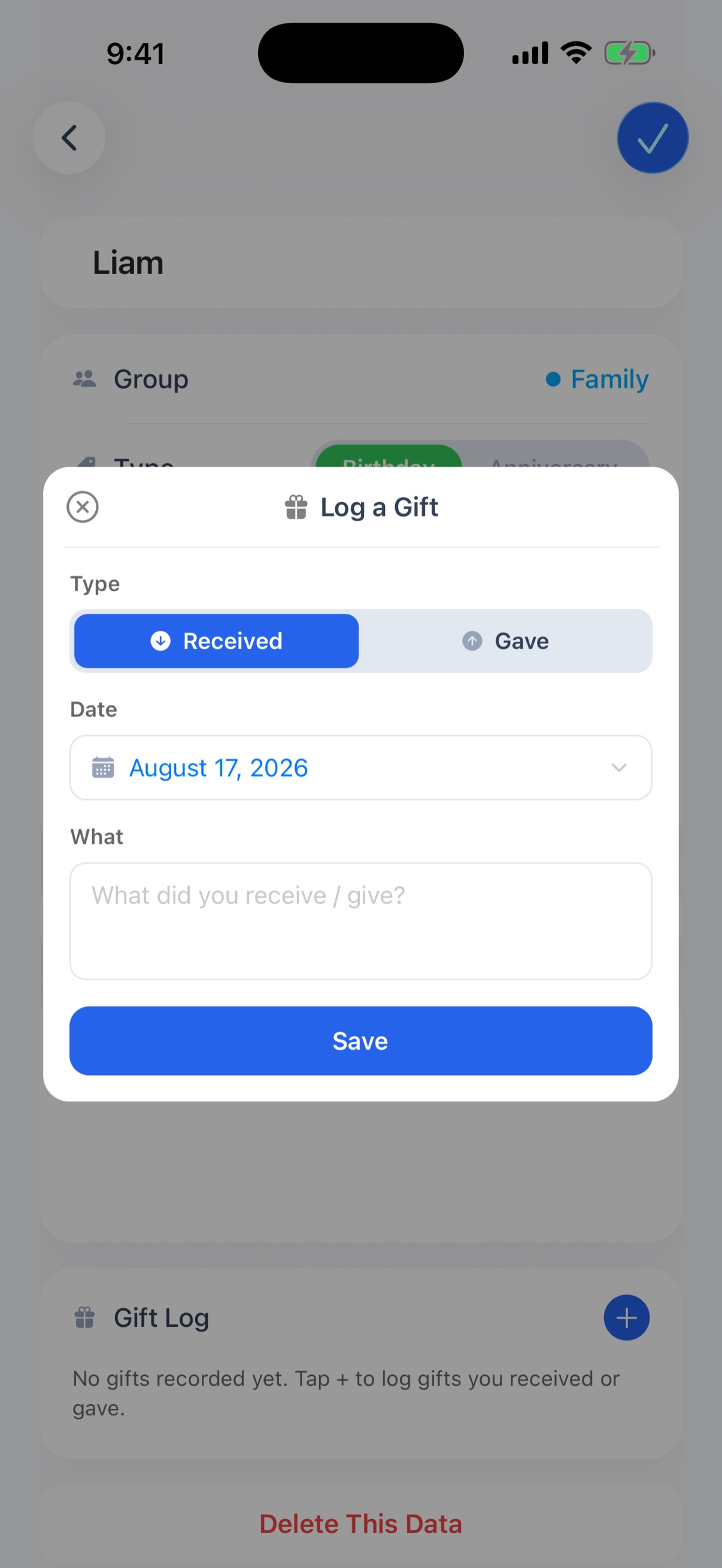
Gift log - record gifts given and received

Keep a log of gifts given and received, per person

"What did I give them last year?" is answered by opening their page. No more duplicate presents.

  • Record each gift as received or given, with a date and a note
  • Drag to reorder however you like
  • Up to 30 records per person on the free plan, 500 on Premium
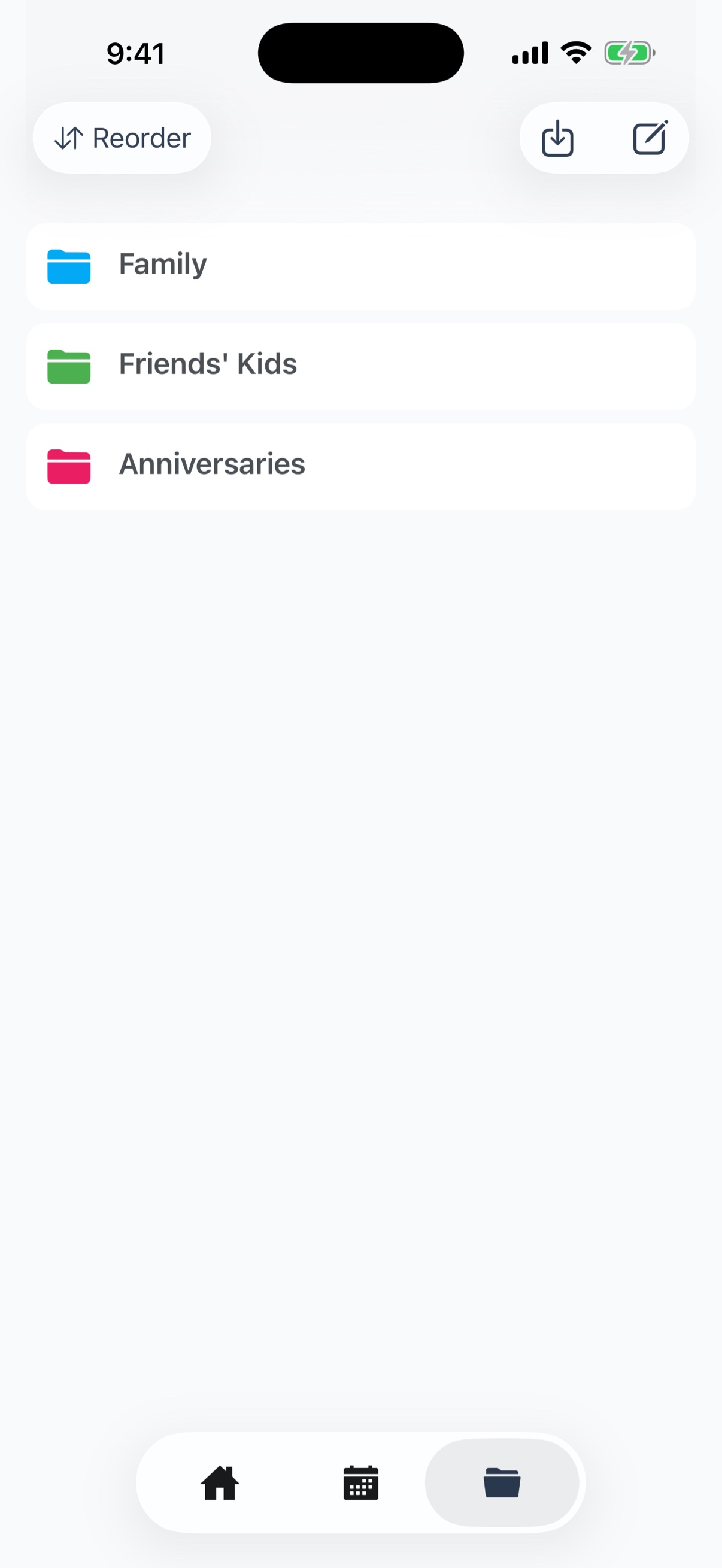
Groups screen with color-coded categories

Organize with color-coded groups

Create your own groups like family, friends, or work. The colors carry through the whole app, so groups are easy to tell apart at a glance.

  • Create as many groups as you need and pick a color for each
  • Colors show up in the home list, the calendar, and widgets
  • Collapse and expand each group on the home screen
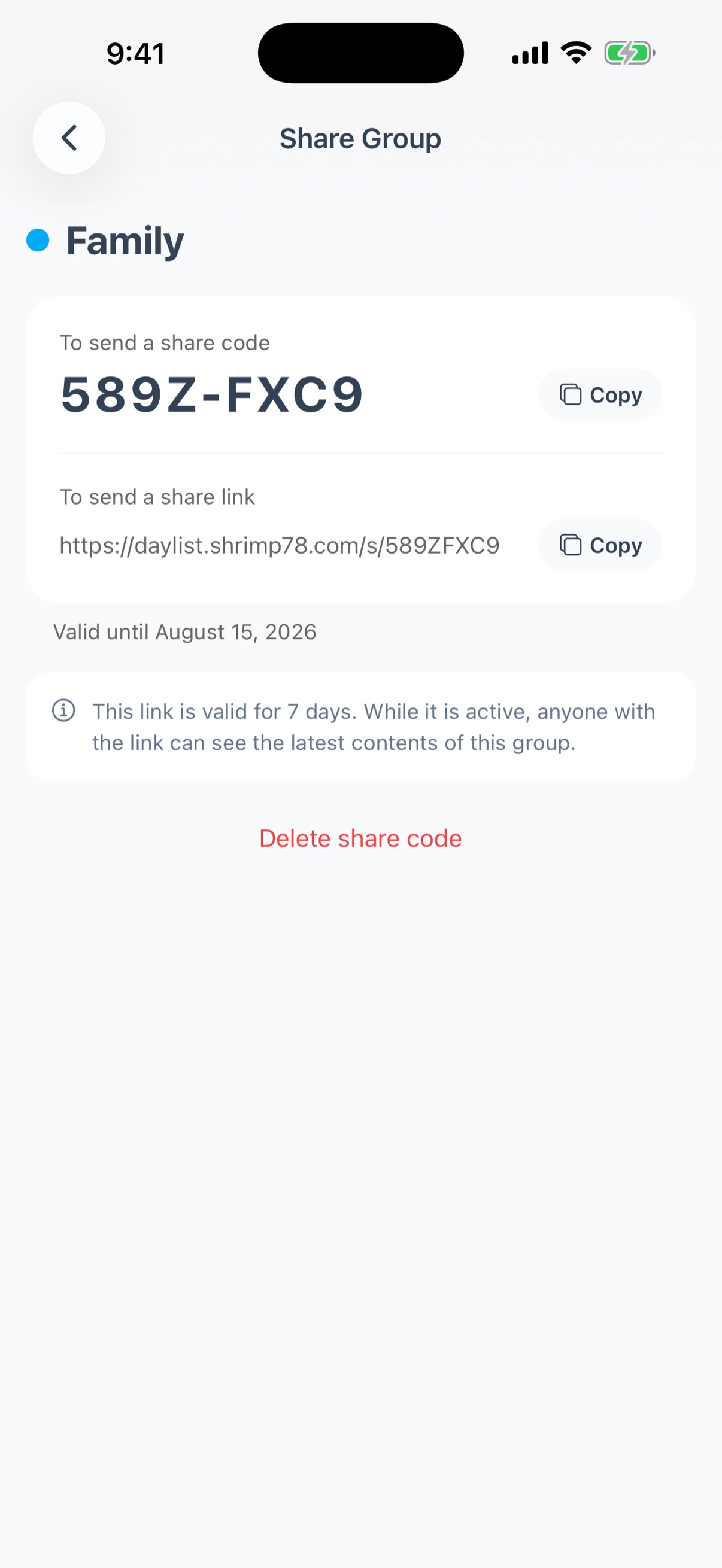
Share screen - share code and share link

Share your groups with family and friends

Send a share link or code to hand over an entire group. The recipient just adds it to their own list.

  • Just send a share link or a share code
  • Names, dates, and the group color are copied; you choose whether to include notes
  • Creating and adding shares is free
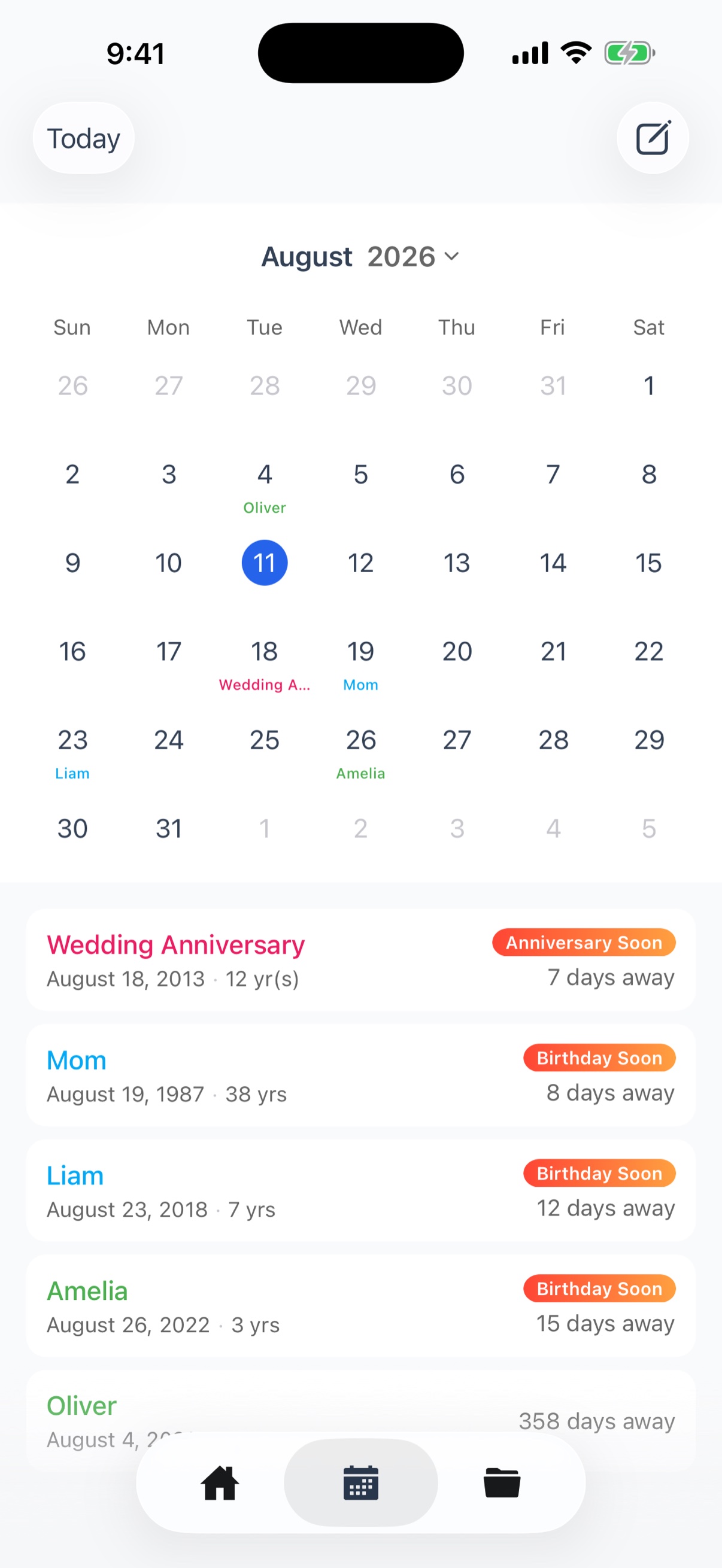
Calendar screen with upcoming dates

See the month or the year at a glance on the calendar

Check this month's birthdays and anniversaries in one place, or switch to the year view to fit the whole year on one screen.

  • The month view lists that month's dates underneath
  • A year view with all twelve months; dates are colored by group
  • Export everything to the iPhone Calendar app
PREMIUM

Fewer limits,
more of what matters

Save as many people as you want, with unlimited reminders.

  • Unlimited birthdays & anniversaries
  • Reminders for as many people as you like
  • Up to 100 groups
  • Home Screen and Lock Screen widgets
  • Up to 500 gift records per person

First month free

Then $5/year

Guides

Practical tips for never forgetting the dates that matter.

See all guides →